Your context, unified.
For you and your agents.
ExecuFunction connects your calendar, tasks, knowledge, code, relationships, and projects into one workspace, then exposes it all as a queryable context layer for AI agents.
For humans Stop drowning in fragmented tools.
For agents Stop starting from zero.
Your work lives in 15 apps that don't talk to each other.
- Your calendar doesn't know what you're working on
- Your tasks don't know who's involved
- Your notes don't connect to your projects
- Your code has no relationship to your roadmap
- Every tool demands you be the integration layer
You spend more time managing context than doing work.
Every AI session starts blind.
- Agents don't know your project history
- They can't see your calendar constraints
- They have no idea who your stakeholders are
- They re-derive context that already exists
- The bottleneck isn't intelligence — it's context
Your agents are powerful but starving.
ExecuFunction is the context layer
that sits between you and your AI.
Humans interact through a workspace that learns silently.
Agents connect through MCP server or CLI — 60+ tools.
execuTerm gives agent-heavy workflows a native terminal and browser surface.
The human platform.
Google & Outlook calendar sync. AI task breakdown. Knowledge base that ingests PDFs, docs, and spreadsheets. Personal CRM with relationship graphs. Semantic code search. Multi-model chat with full workspace context. Memory that learns through conversation.
One app instead of fifteen.
The agent platform.
Connect via MCP server or use our CLI tool from the terminal. Either way, your agent gets task state, calendar events, knowledge search, CRM lookups, project context, codebase queries, and memory. Same tools, same data.
The agent workstation.
Keep browser automation, CLI workflows, and workspace context in one loop. execuTerm is where agent runs can inspect code, operate tools, and stay grounded in live project state without leaving the ExecuFunction system.
Terminal, browser, and context in one place.
What you can do today.
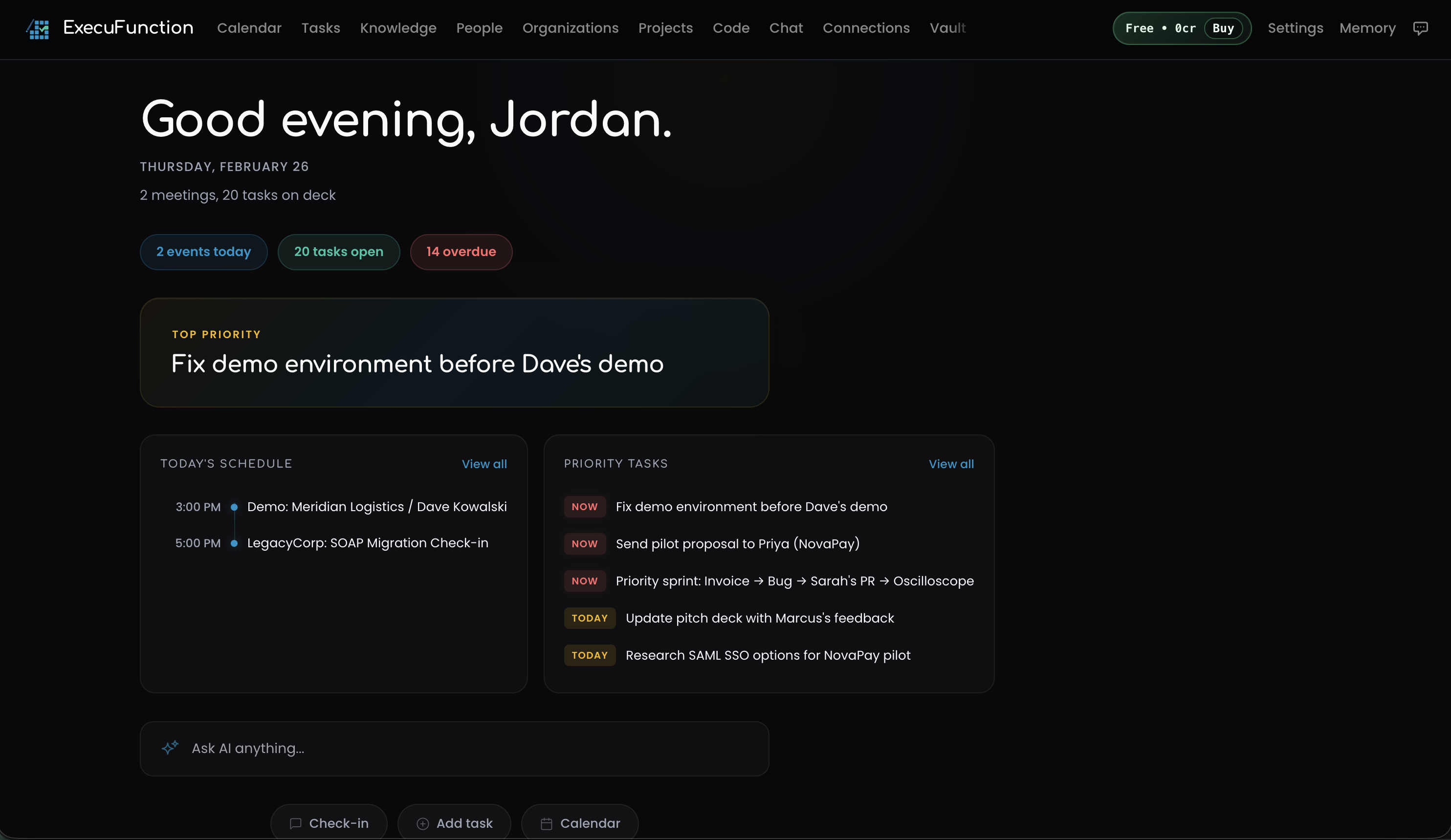
One dashboard surfaces today's meetings, priority tasks, and overdue items. The AI assistant is always available at the bottom — ask about your schedule, add tasks, or run a check-in.
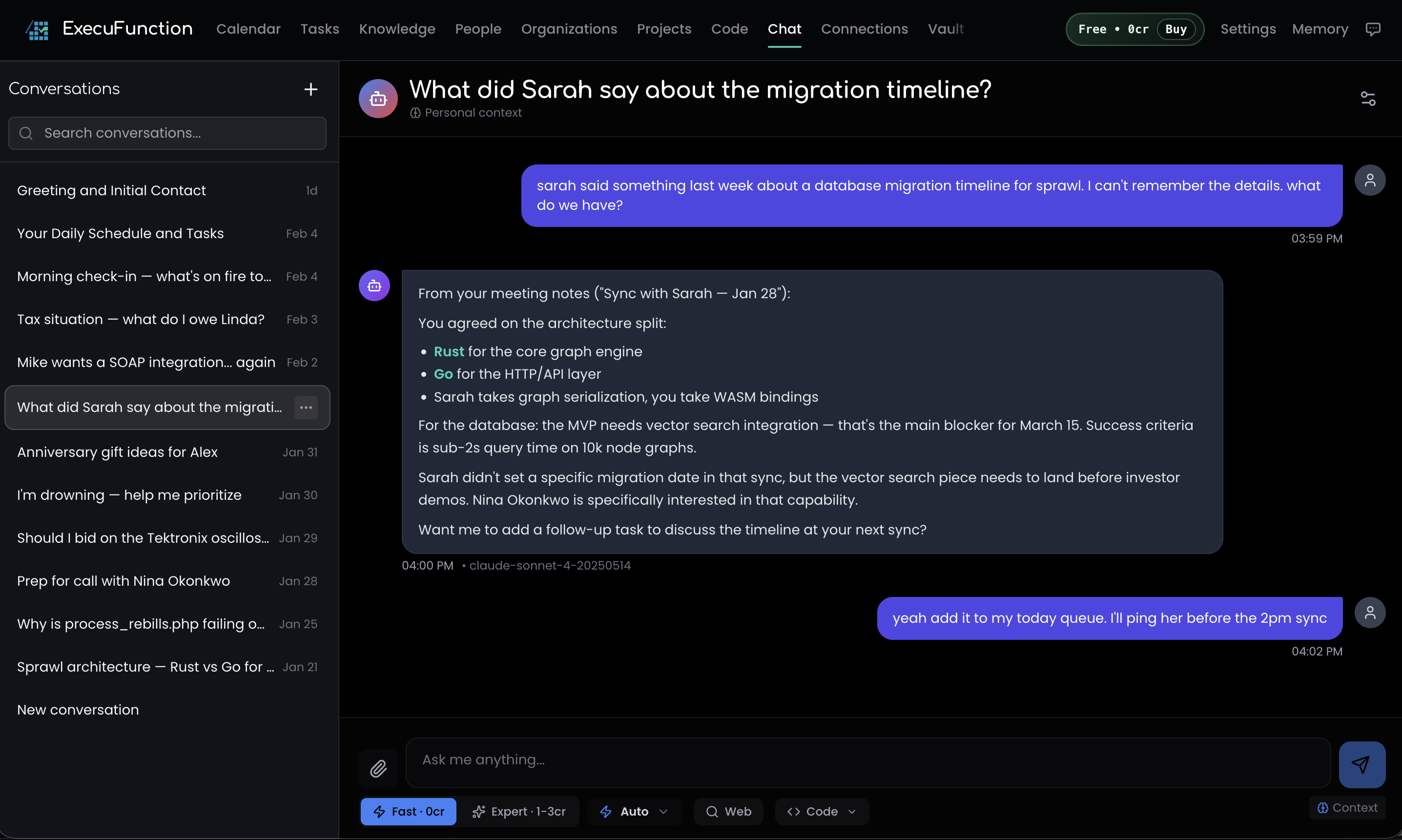
Ask about anything in your workspace. The AI pulls from meeting notes, tasks, people, and projects to give answers grounded in real data — not hallucinations. Multi-model routing picks the right model for each query.
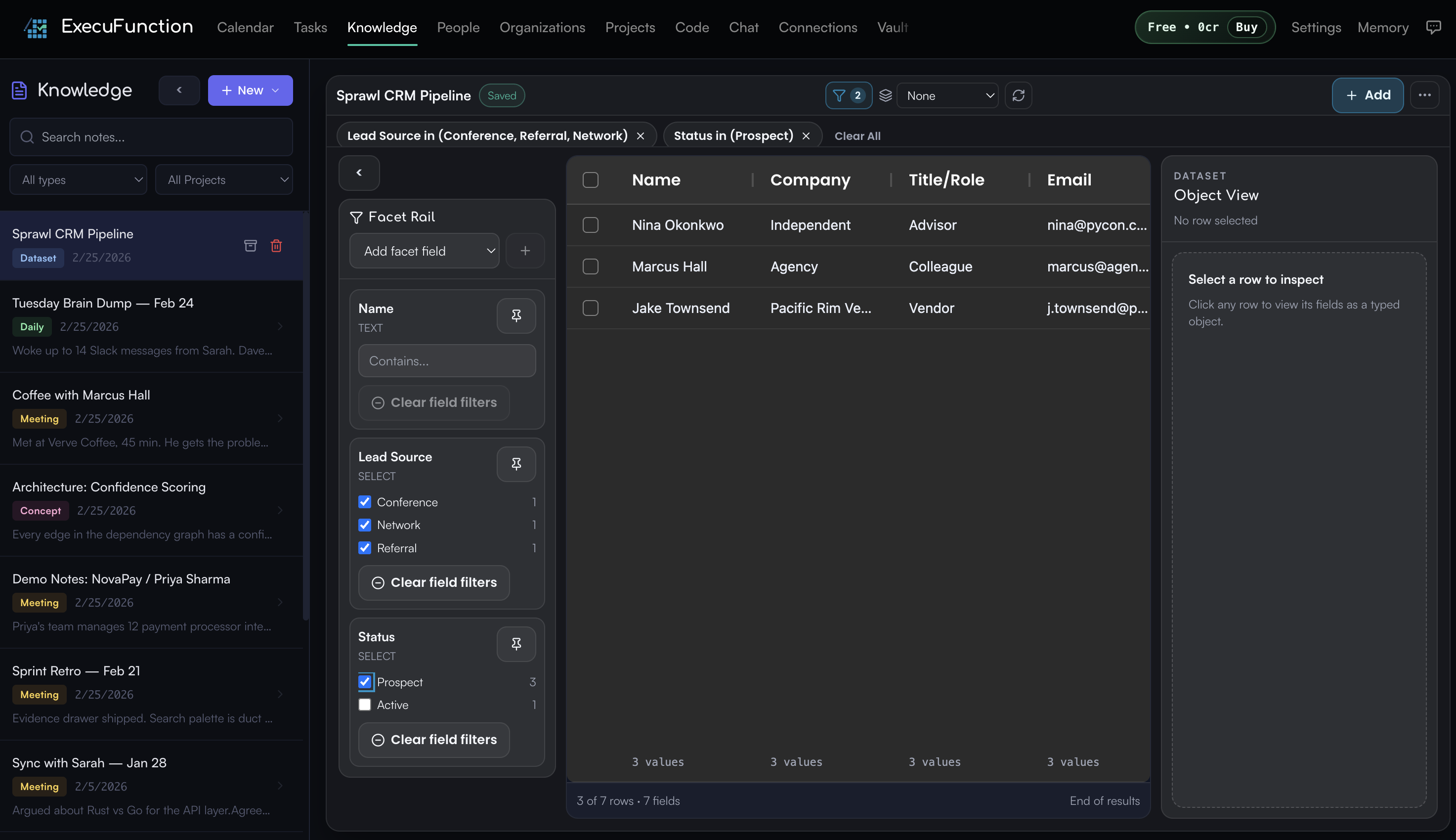
Structured datasets are queryable through the workspace, CLI, and MCP. Summarize rows, compare segments, rank records, bucket ranges, and surface missing-data warnings before you act. The outputs stay grounded in the actual dataset, not a vague model guess.
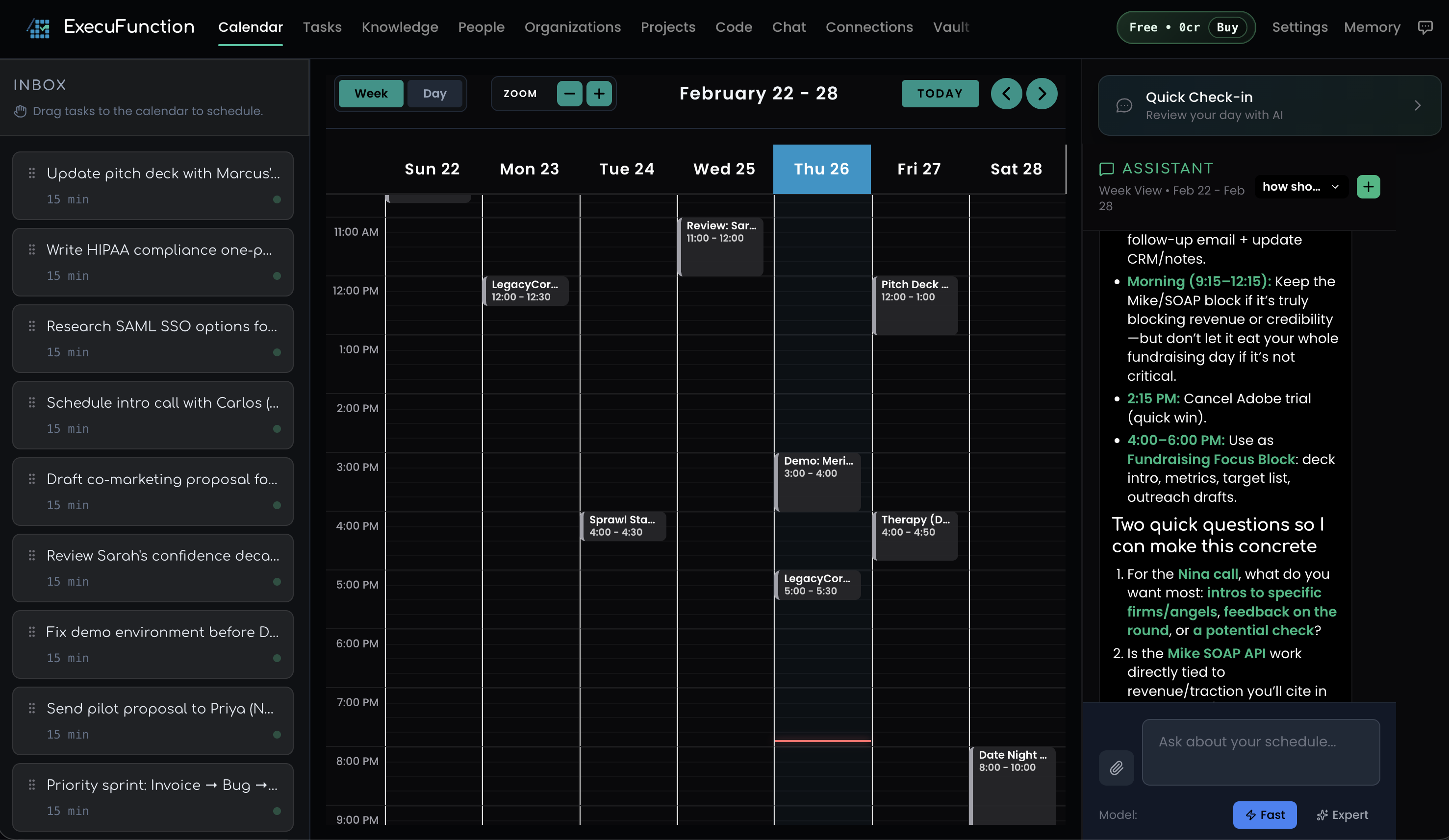
Week view with drag-to-schedule task inbox. Google and Outlook sync. The AI assistant panel reviews your day and flags conflicts. Your calendar and tasks finally live in the same place.
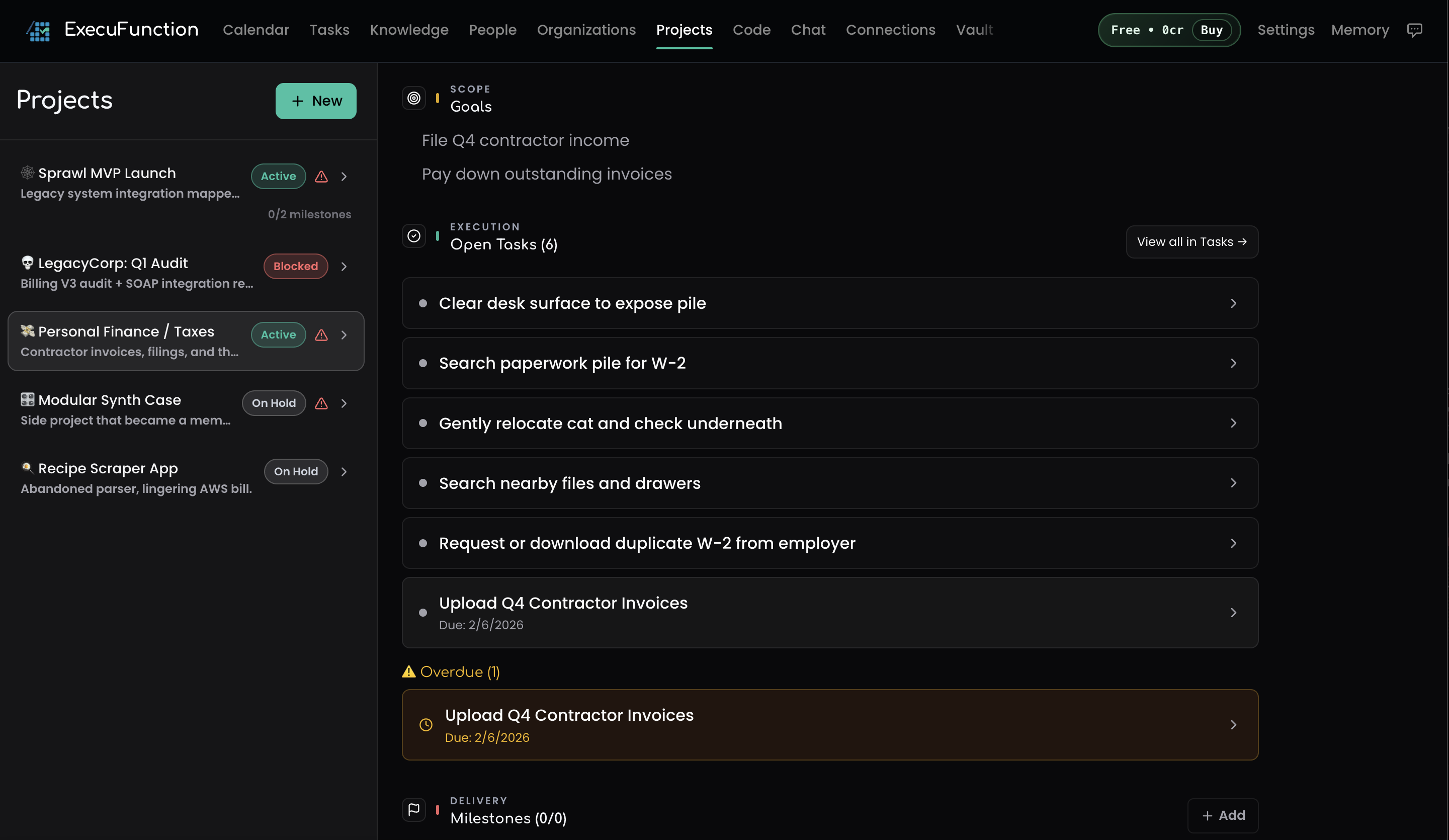
Projects track goals, milestones, tasks, and overdue items in one view. Status badges, linked tasks, and deadline warnings keep everything visible. Agents can query project context directly from MCP or the CLI.
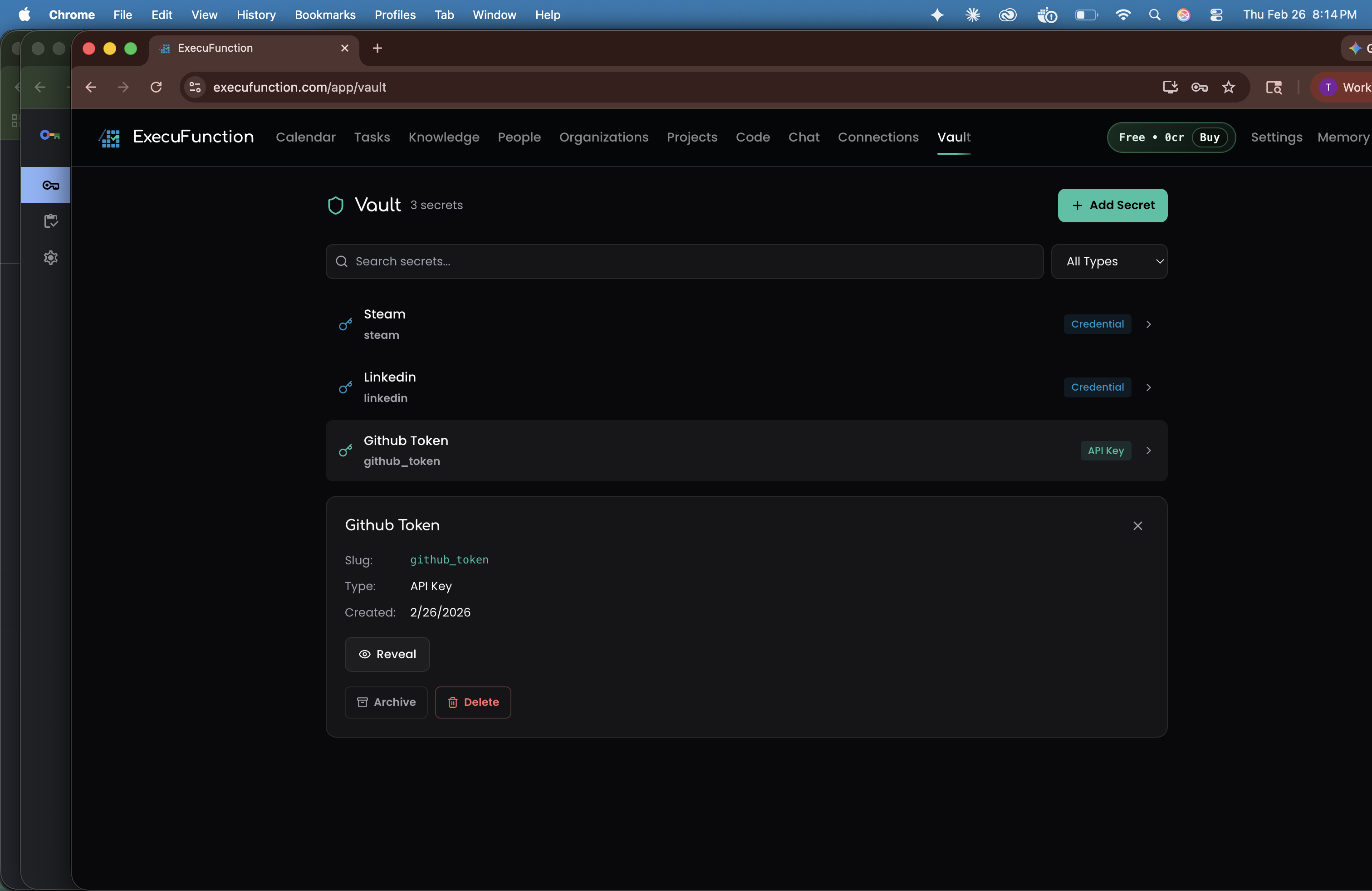
Store API keys, credentials, and secrets with client-side encryption. Access is audit-logged, and your agents can use vault entries without exposing the raw values in chat or logs.
Product depth that compounds.
Multi-model routing, semantic search, calendar sync, knowledge ingestion, CRM, codebase intelligence, MCP, CLI, vault, and mobile access are already part of the same system. The value is that these pieces reinforce each other instead of living in separate tools.
Stop re-explaining your life to your AI.
New users get 200 free credits every month.