The terminal
for AI agents.
A native macOS terminal that opens to a dashboard, not a blank shell. Dispatch tasks to Claude Code, Codex, or any CLI agent — and inject context from your ExecuFunction workspace directly into the session.
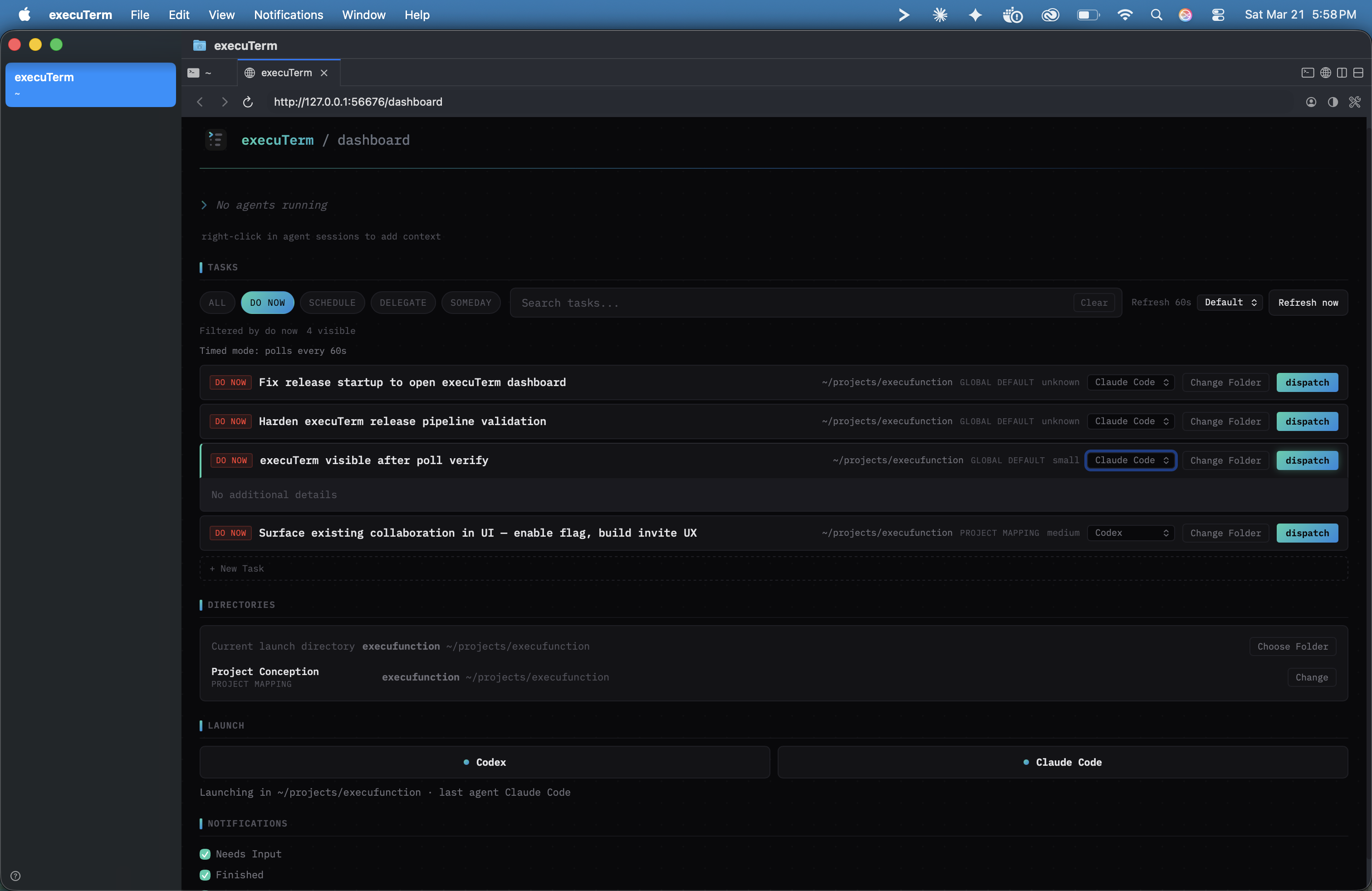
Dashboard to deployed agent
in two clicks.
Your knowledge, piped
straight into the agent.
Right-click any running agent session to search across your tasks, code memory, architecture docs, and notes. Select what's relevant and inject it as context — no copy-paste, no window switching.
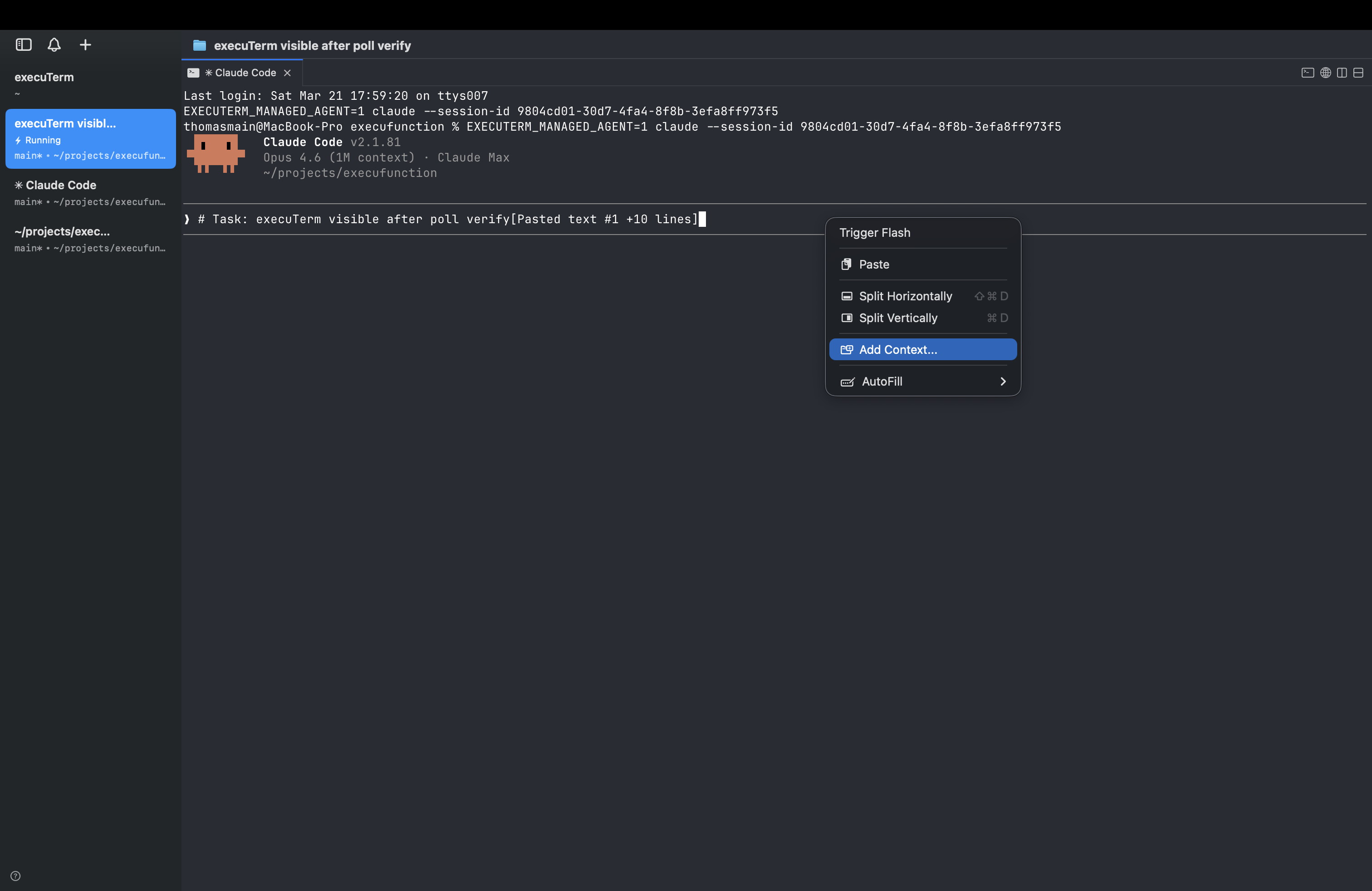
Right-click → Add Context
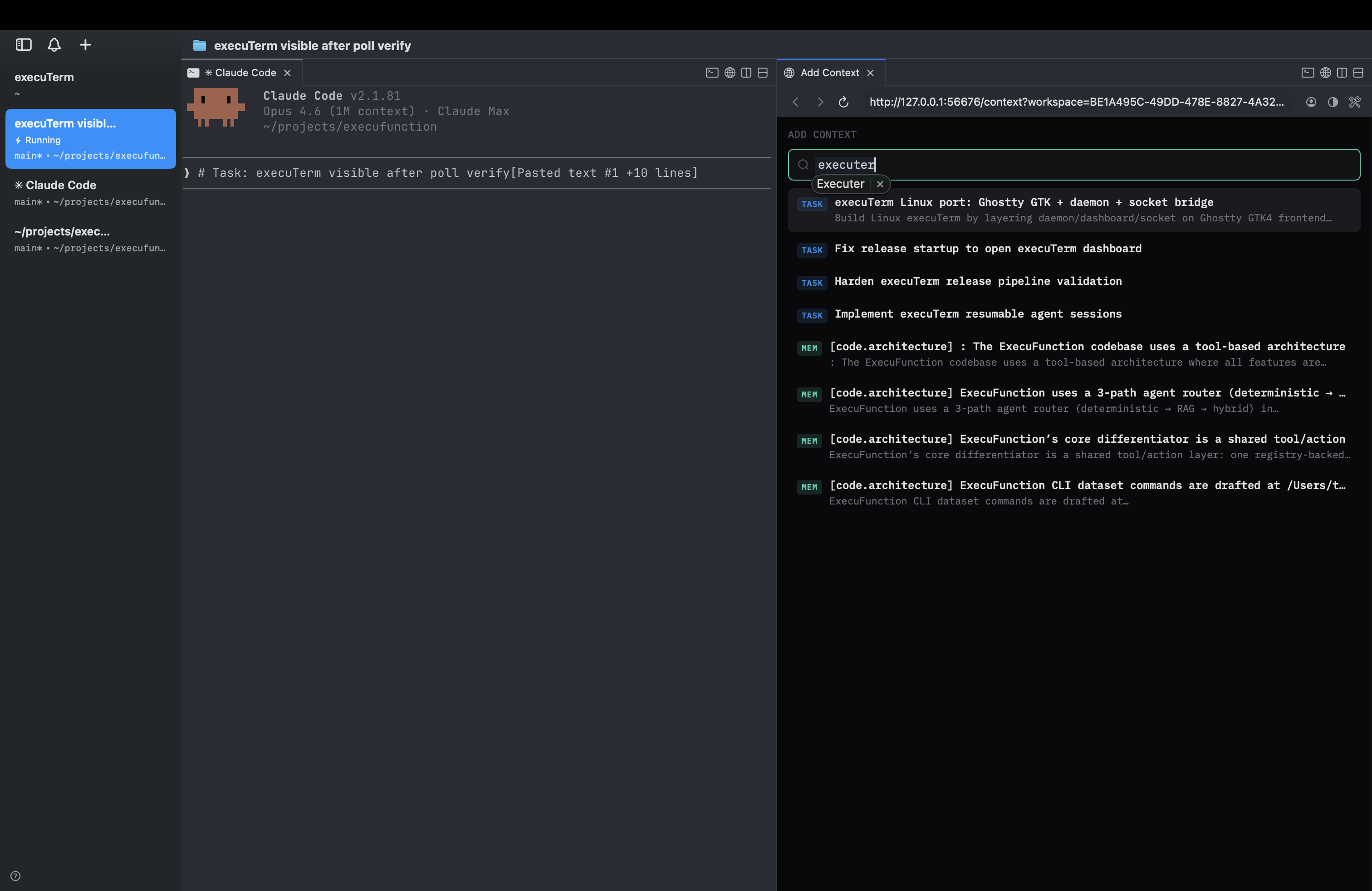
Search tasks, memory, notes
Every agent, every workspace,
one sidebar.
The vertical tab sidebar shows git branch, working directory, agent status, and the latest notification for every workspace. Split panes let you run agents side-by-side.
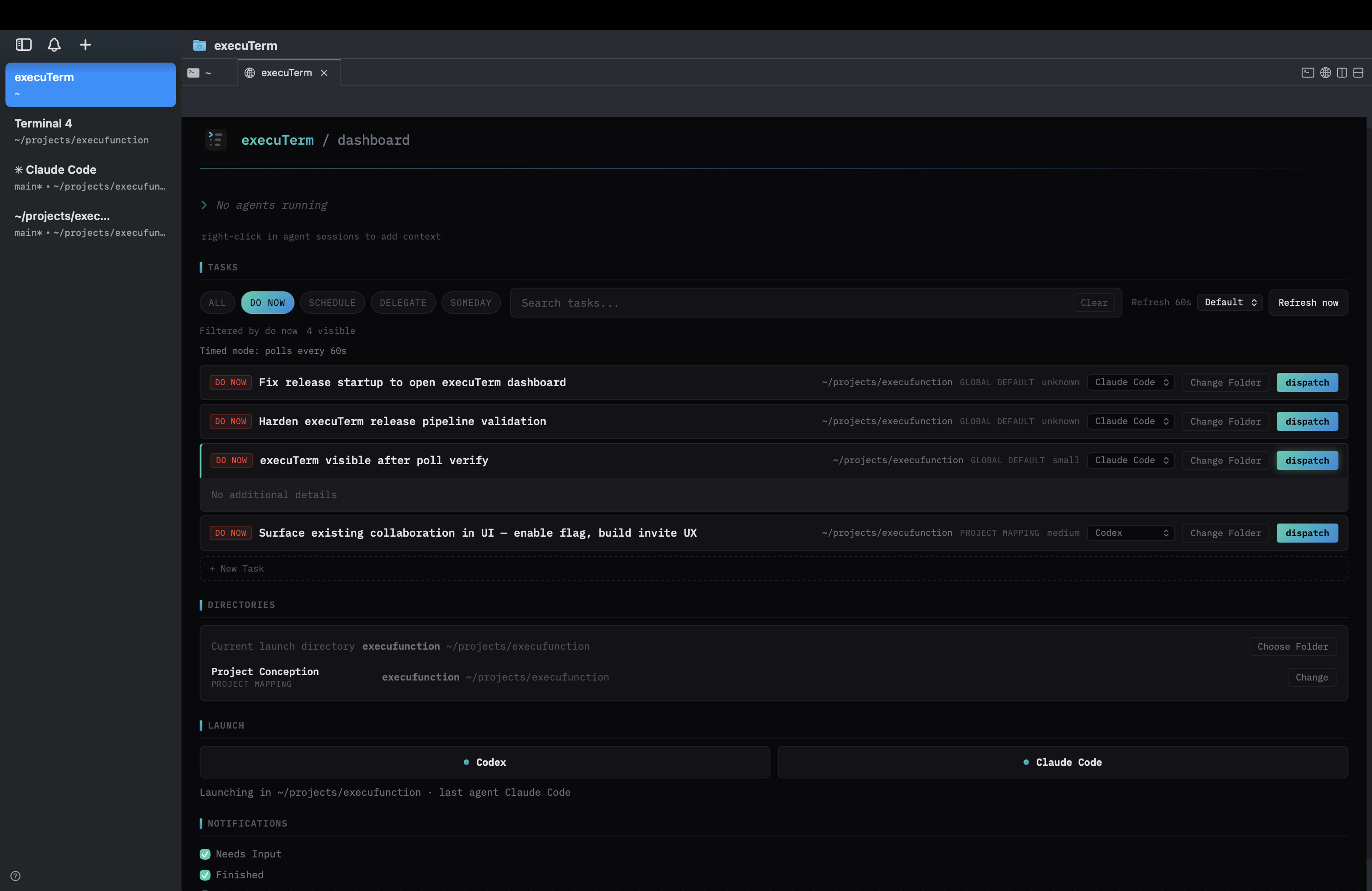
Sidebar with active workspaces
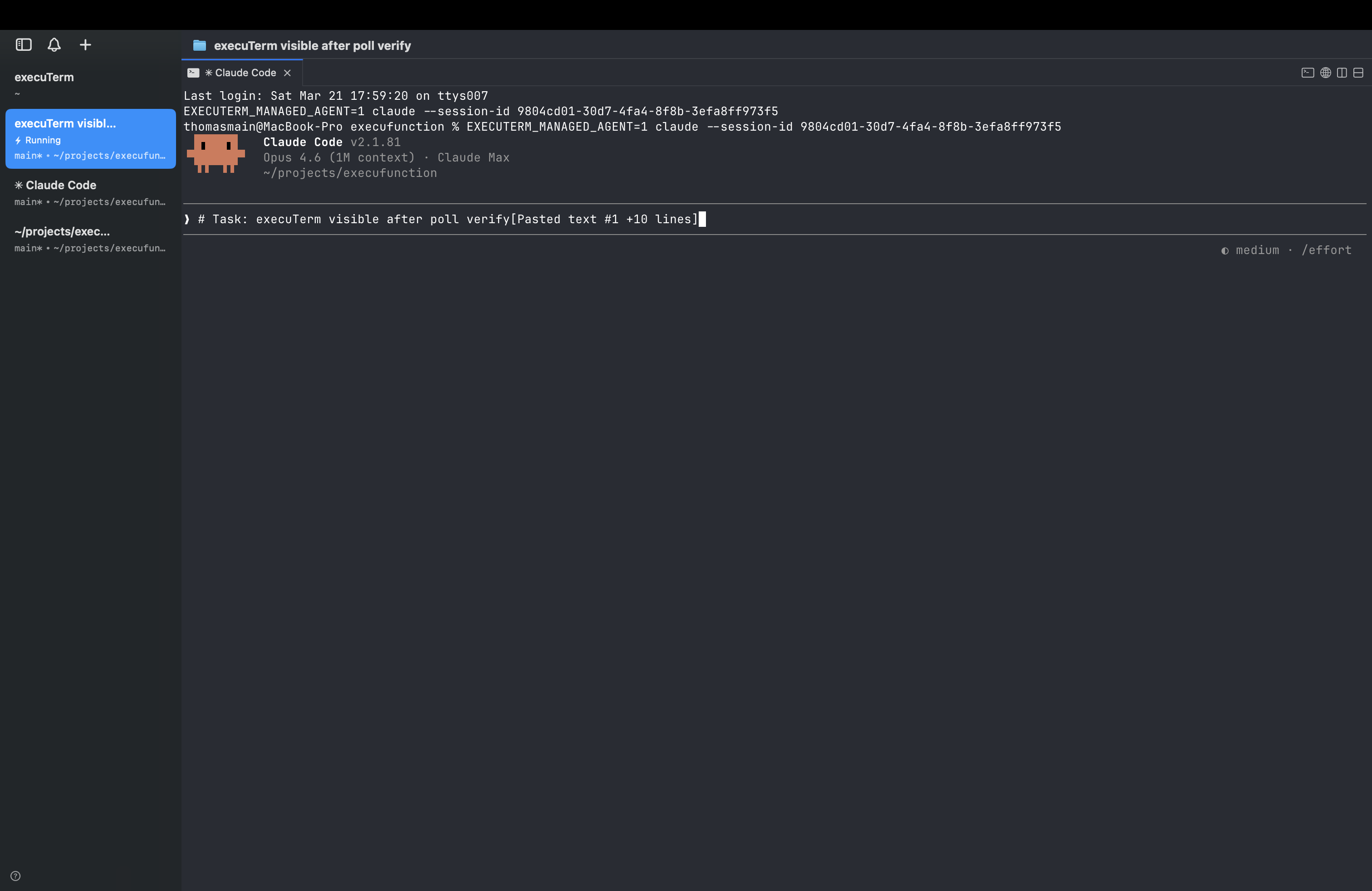
Agent session with Claude Code
Everything you need,
nothing you don't.
Download execuTerm.
Free, open source, and always will be. Signed and notarized for macOS. Auto-updates via Sparkle.